
Storage Cleaner app icon

The Mac storage cleaner
built for developers

Find the gigabytes AI models, Xcode, node_modules and caches quietly keep, see when you last used each one, and clean them safely, with Undo.

For Mac · macOS 15 or later · runs on your Mac, no account

  • Free to scan your Mac
  • 14-day money-back guarantee
  • $2.99 once, no subscription
  • Signed and notarized by Apple
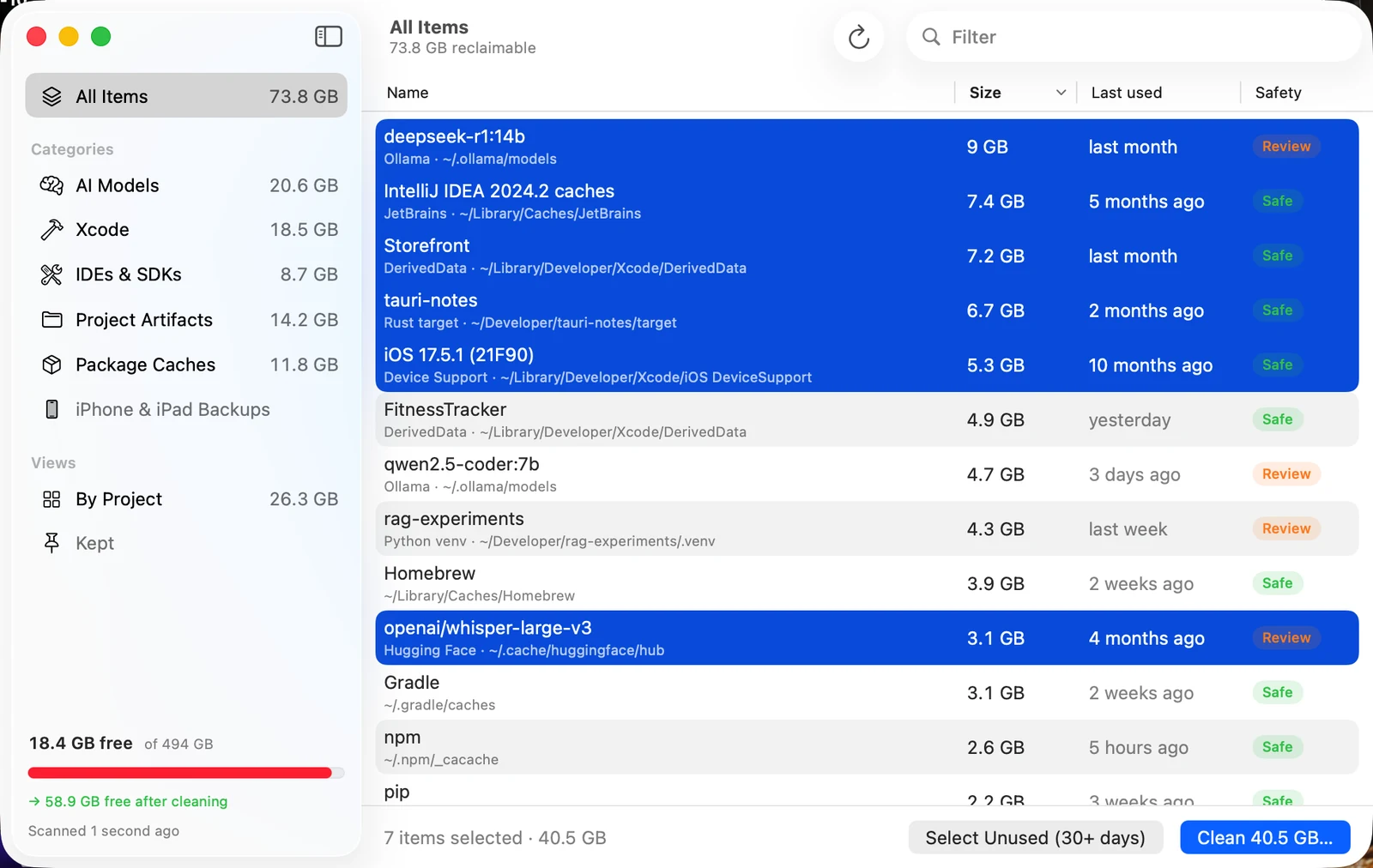
Storage Cleaner's main window listing Ollama and Hugging Face models, DerivedData and caches with sizes, last-used dates and safety ratings, 40.5 GB selected.
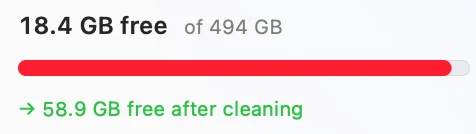
18.4 GB free of 494 GB, 58.9 GB free after cleaning.
Clean 40.5 GB button.

An example scan of a developer's Mac. Your numbers will differ.

AI models

Delete unused AI models

Ollama, Hugging Face / MLX and LM Studio models, each with its real size and when you last used it.

  • Shared Ollama layers counted once, so the size is what you get back
  • Re-download any model later with one command
  • Keep the ones you use with a pin
How to delete Ollama models by hand
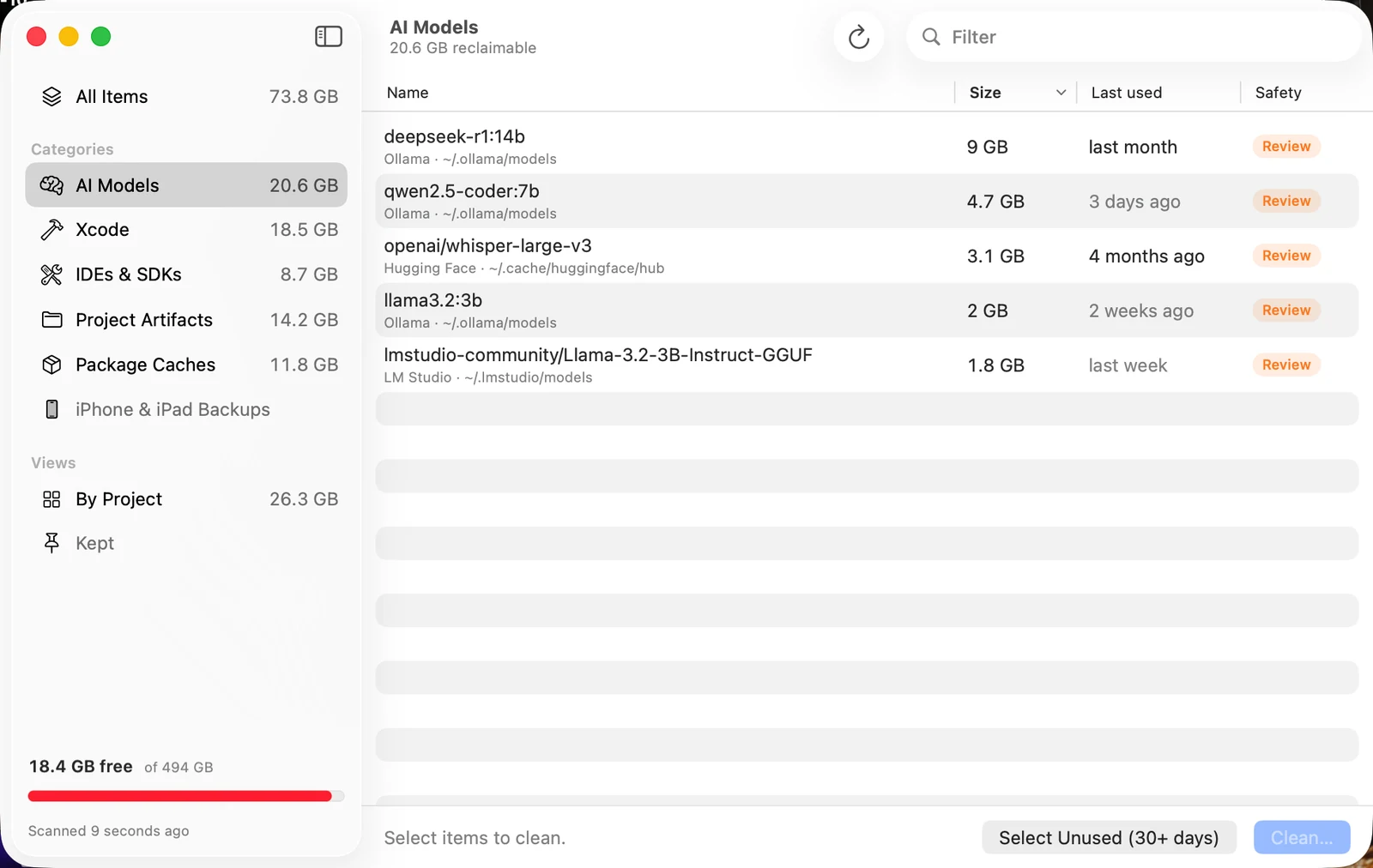
Storage Cleaner's AI Models list with Ollama, Hugging Face and LM Studio models.
deepseek-r1:14b 9 GB, qwen2.5-coder:7b 4.7 GB, whisper-large-v3 3.1 GB, each with last-used dates.

Xcode & projects

Clear Xcode build junk

DerivedData, simulator runtimes, device support, node_modules, Rust targets and Python venvs, grouped by project and last activity.

  • See which projects you haven't touched in months
  • Clear a dead project's build output in one click
  • Every item labelled Safe, Review or Caution
How to clear Xcode by hand
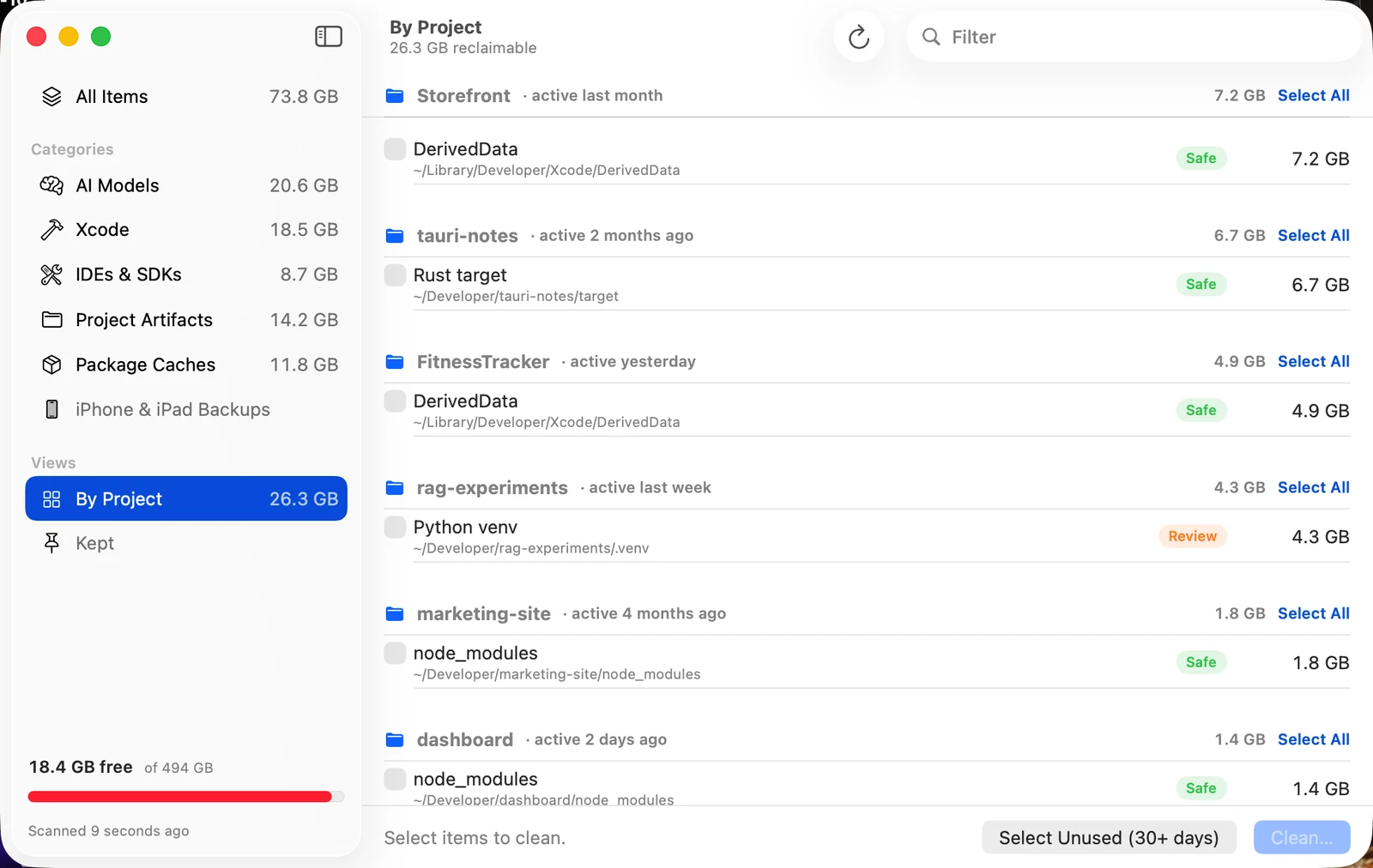
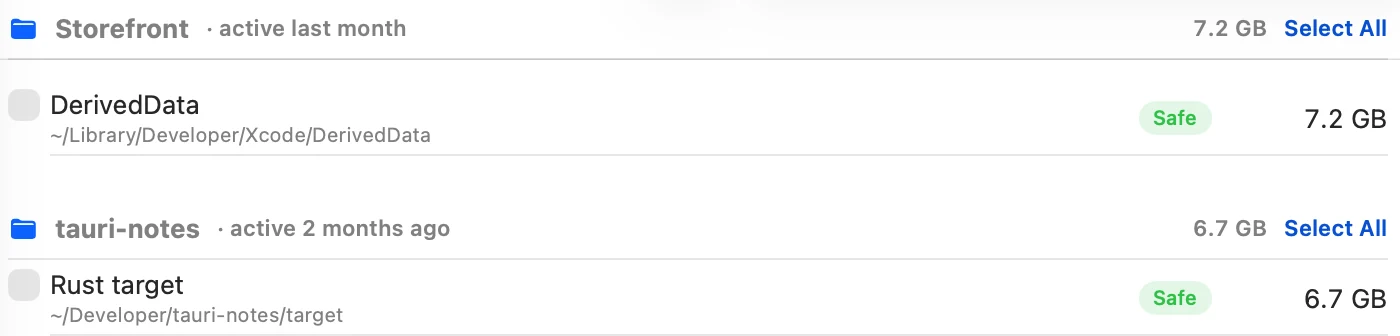
Storage Cleaner's By Project view.
Storefront DerivedData 7.2 GB and tauri-notes Rust target 6.7 GB, both Safe.

Safe by design

Undo any cleanup

Everything goes to the Trash first. Nothing is removed until you confirm, and you can put it back with one click.

  • Safe items rebuild themselves; Caution items are never selected for you
  • Anything that can't be undone, like Docker images, is listed separately first
  • Never touches anything outside your home folder, symlinks or Docker volumes
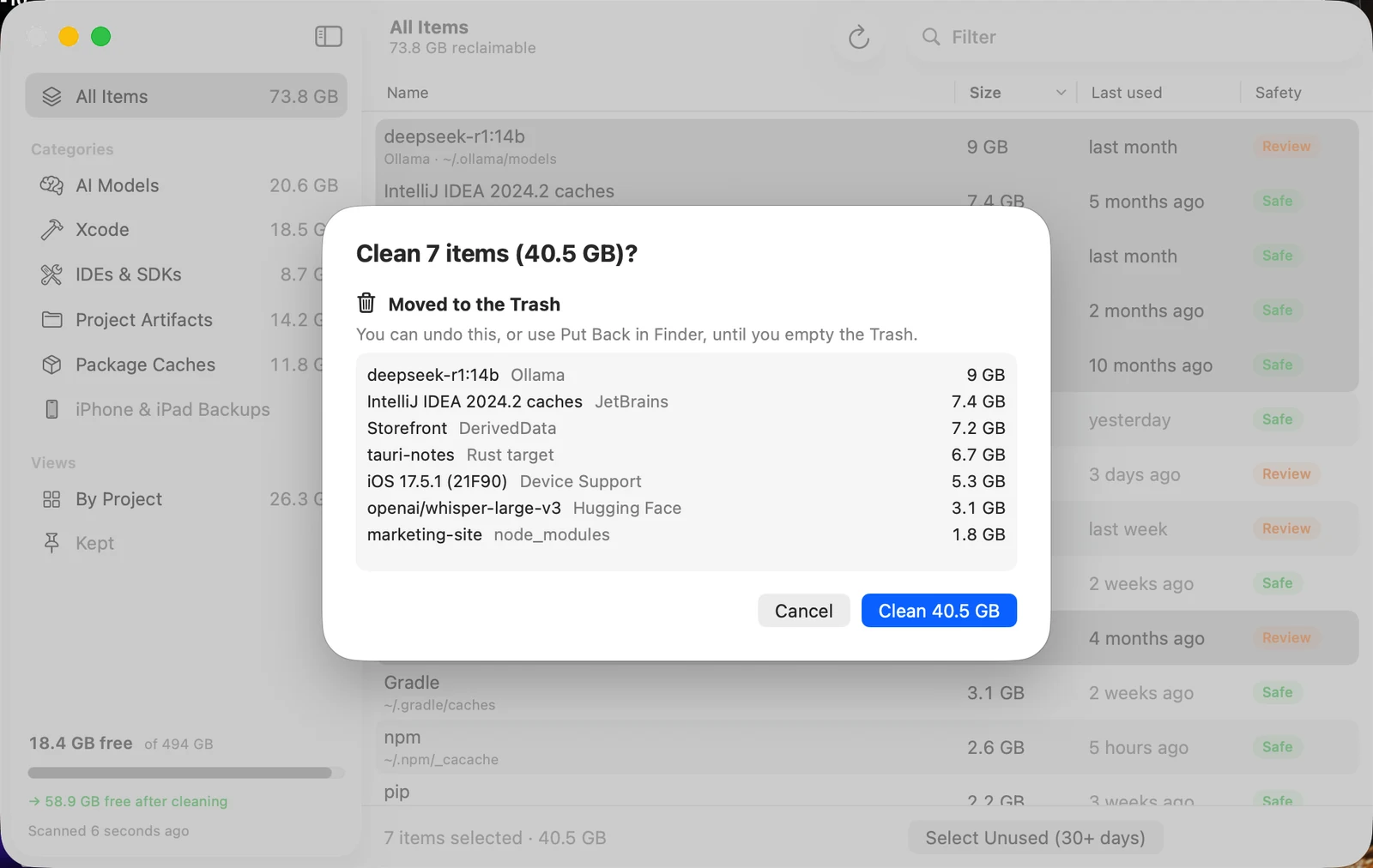
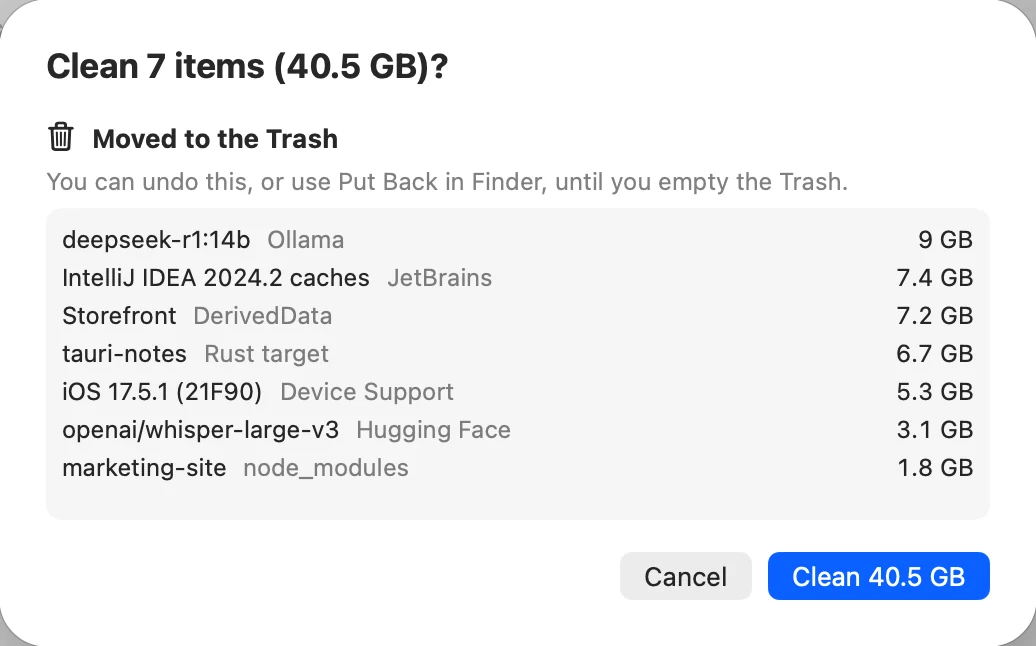
Storage Cleaner's confirmation sheet.
Clean 7 items (40.5 GB)? Moved to the Trash, you can undo this.

Automation

Automate safe cleanups

Storage Cleaner lives in your menu bar, rescans in the background and keeps space from quietly running out again.

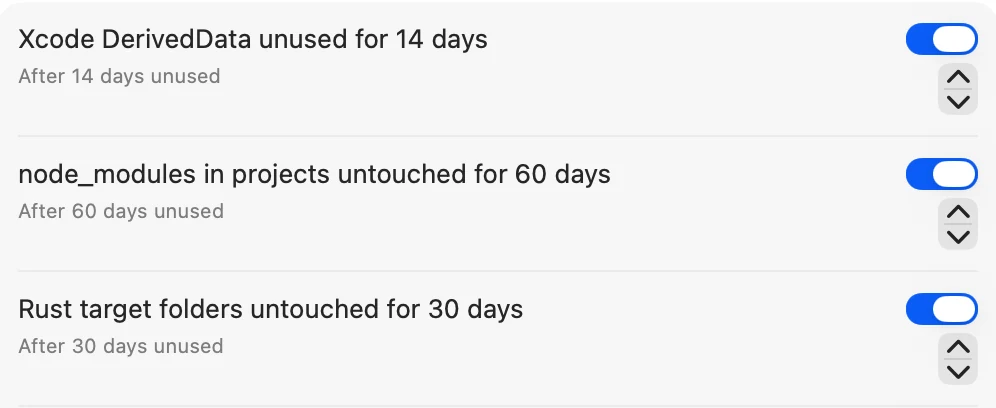
  • Rules like “DerivedData unused for 14 days”
  • Rules only ever touch items marked Safe
  • See how much you can reclaim at a glance
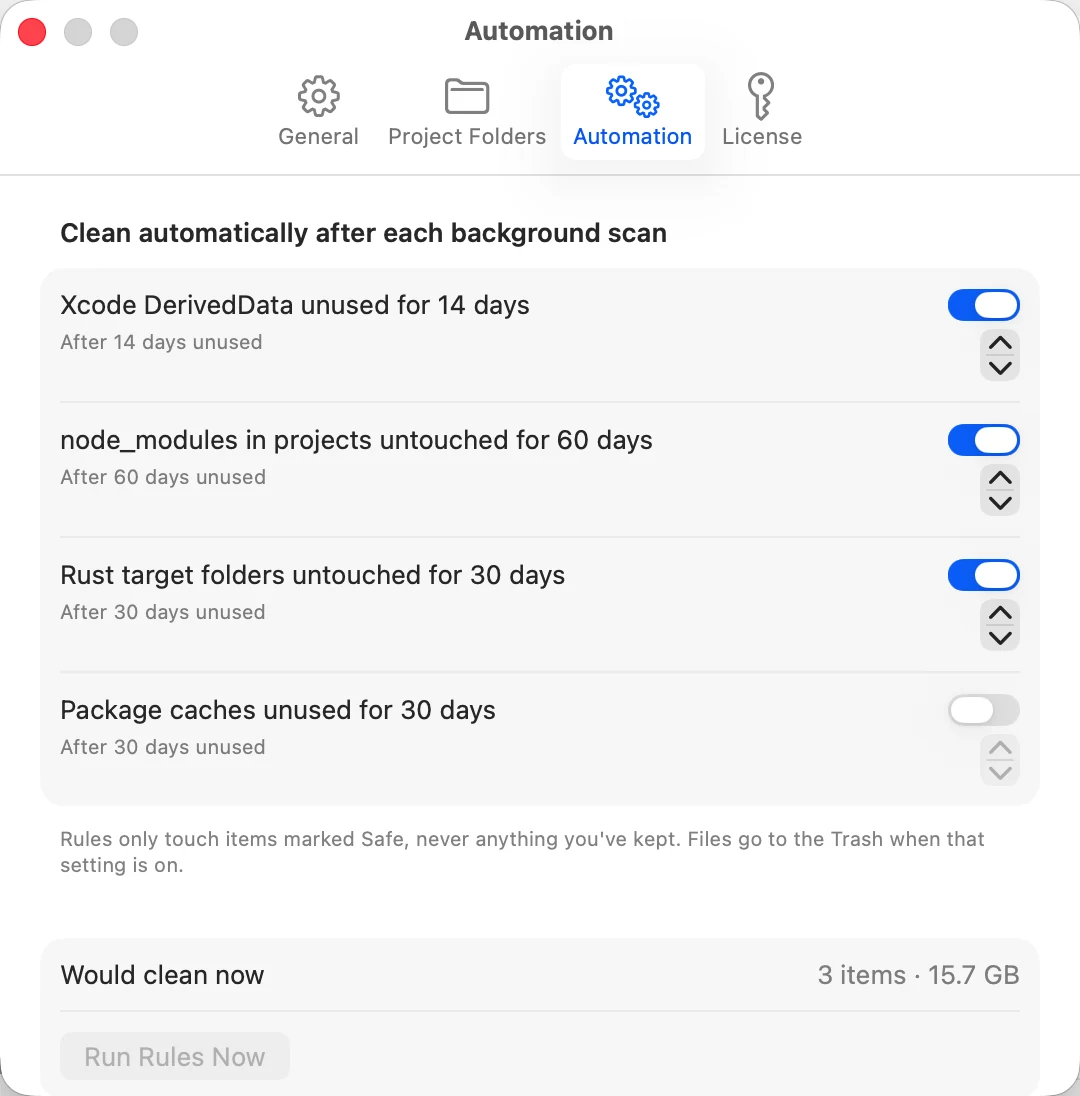
Storage Cleaner's Automation settings.
Rules for Xcode DerivedData, node_modules and Rust target folders, switched on.

Privacy

Keep it private

Scanning happens entirely on your Mac. No account, no uploads, no analytics.

  • The only network calls are license and update checks
  • Your file and project names never leave your Mac
  • Read the privacy policy in two minutes
Privacy policy
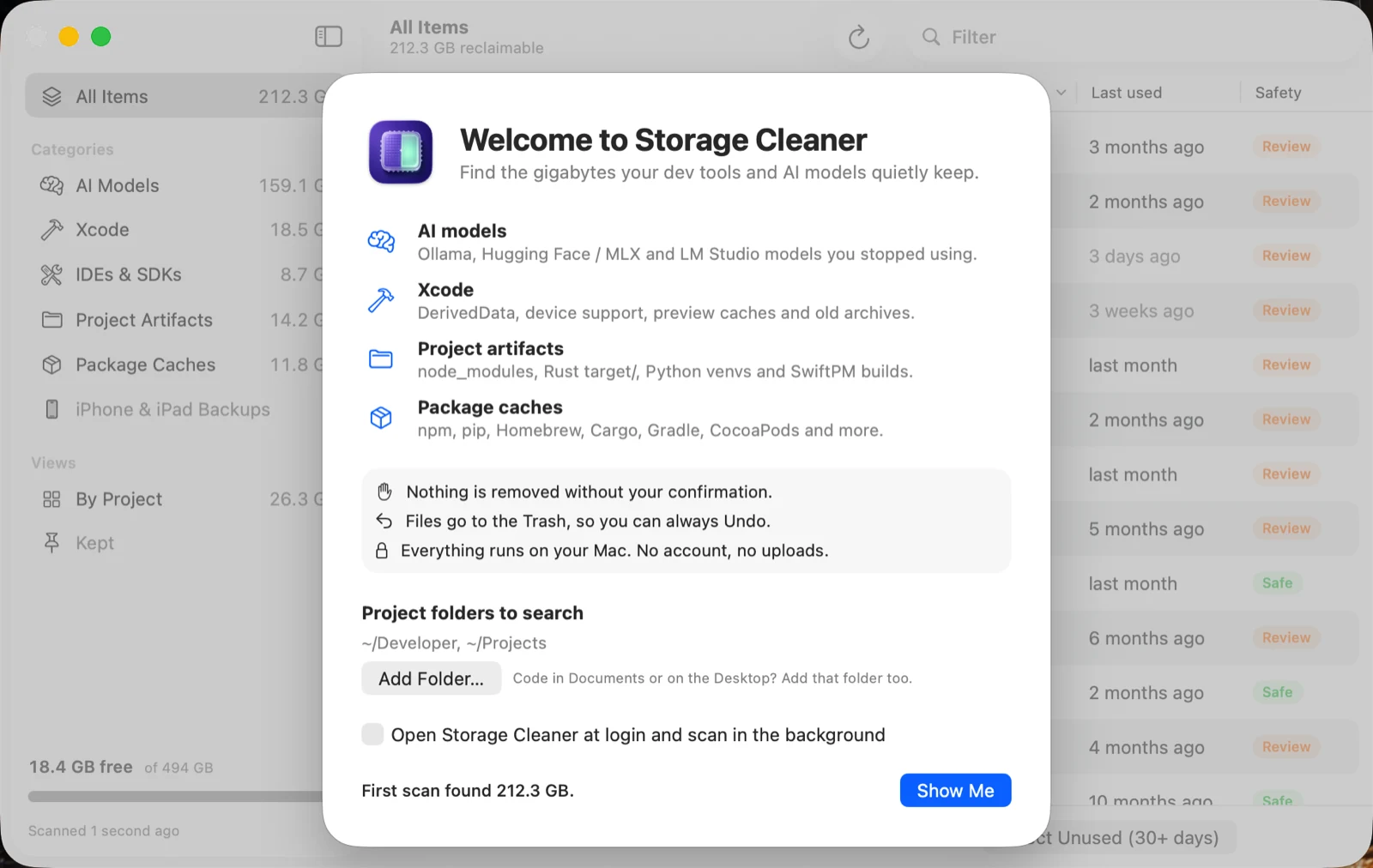
Storage Cleaner's welcome screen.
Nothing is removed without your confirmation. Files go to the Trash, so you can always Undo. Everything runs on your Mac.

Everything it finds

One scan for every developer hoard

Disk visualizers tell you a folder is big. Storage Cleaner tells you what it is, when you last used it, and what happens if you remove it.

Local AI models

Ollama, Hugging Face / MLX and LM Studio models, counted per model, with shared layers handled correctly.

Often 5–40 GB per model

Xcode

DerivedData per project, simulator runtimes, device support, previews and old archives.

Commonly 20–100 GB

Project folders

node_modules, Rust target, Python venvs, SwiftPM and Next.js builds across your projects.

0.2–5 GB per project

Package caches

npm, pnpm, Yarn, Bun, pip, uv, Homebrew, Cargo, Gradle, CocoaPods, Go and more.

1–30 GB

IDEs & SDKs

Android system images, JetBrains, VS Code, Cursor and Windsurf caches, Unity downloads.

Often 5–20 GB

Docker & backups

Unused Docker images and build cache (never volumes), plus old iPhone and iPad backups.

10–60 GB

By the numbers

Why developer Macs fill up

Measured in September 2026 from the Ollama registry, npm and Xcode 26.5.

42.5 GBfor one Llama 3.3 70B model in Ollama
13.6 GBfor Xcode plus one iOS runtime, before you build
429 MBof node_modules in a brand-new Next.js app

Pricing

Pay once. Keep it.

Download free and scan your Mac to see what you can get back. Cleaning is one payment, yours for life, with every future update. No subscription, and a 14-day money-back guarantee.

Multi-Mac

$5.99one-time

Up to 3 Macs

  • Everything in Personal
  • For your laptop, desktop and build machine
  • Manage activations yourself
Buy for 3 Macs

Try it first: the download and the scan are free. Secure checkout by Dodo Payments. Your license key appears right after checkout and is also sent by email: how to activate it. Refund policy.

FAQ

Questions

Is it safe to delete these things?

Everything Storage Cleaner offers is either rebuilt automatically (caches, DerivedData, node_modules) or can be re-downloaded (models, runtimes). Each item says exactly what happens if you remove it, and files go to the Trash so you can Undo.

Mac App Store or direct download?

Storage Cleaner is a free direct download, signed and notarized by Apple. Scanning is free; cleaning needs a one-time license bought here. A Mac App Store edition may follow later; it would be priced and sold separately through Apple.

Does moving to the Trash actually free space?

Not until you empty the Trash, which is what makes Undo possible. If you'd rather free space immediately, turn off "Move items to the Trash" in Settings.

Will it touch my Docker volumes or iPhone backups?

Docker volumes are never offered. iPhone backups are shown (they're often huge) but marked Caution and never auto-selected or auto-cleaned.

What do I need?

macOS 15 Sequoia or later, on Apple silicon or Intel. No account.

I bought it. Where do I paste my license key?

Copy the key from your purchase email, open Storage Cleaner › Settings (⌘,) › License, paste it into the key field and click Activate. Step-by-step activation guide.

Can I get a refund?

Yes. If Storage Cleaner isn't right for you, email us within 14 days of purchase for a full refund, for any reason. See the refund policy. Bought on the Mac App Store? Refunds there are handled by Apple.

Can I install it with Homebrew?

Yes. Run brew install --cask vijhay41-hub/tap/storage-cleaner. Scanning is free; to clean, buy a license here and paste the key into Settings › License.

See what's filling your Mac

Free to scan. $2.99 once to clean, yours for life, with a 14-day money-back guarantee.